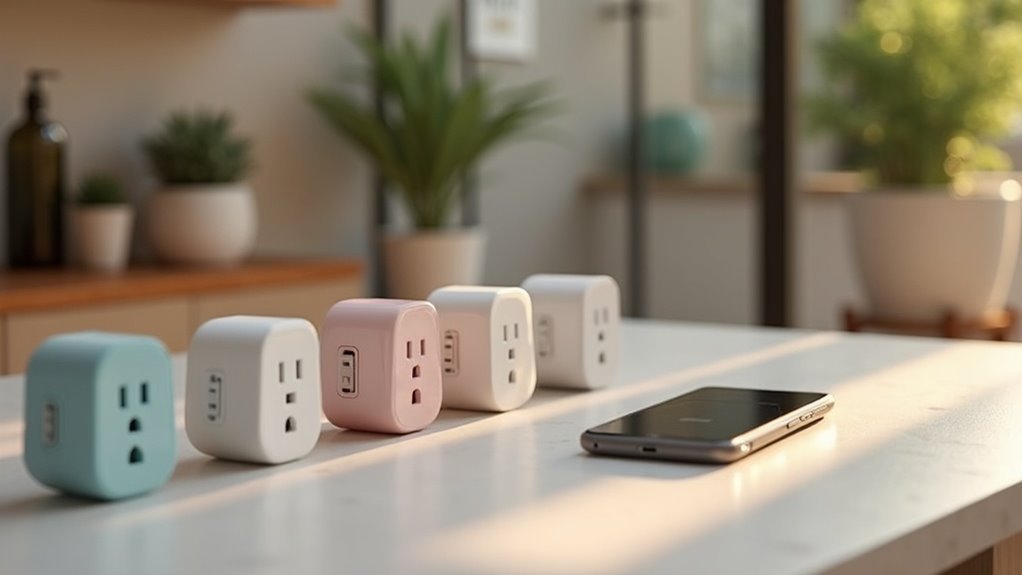
To stay organized and efficient, check out the best smart plugs that simplify your charging and scheduling needs. The Govee Smart Plug and Kasa Smart Plug Mini offer easy voice control and energy monitoring, while the GHome Smart Power Strip provides multiple outlets for all your devices. For effective energy management, consider the Emporia Energy Monitoring Smart Plug. If you want more details on features, compatibility, and usage tips, stick around for more insights.
Govee Smart Plug 15A, WiFi Bluetooth Outlets (4 Pack)

If you’re looking for a smart plug that combines convenience with powerful functionality, the Govee Smart Plug 15A is an excellent choice, especially for those managing high-power appliances. This 4-pack of WiFi and Bluetooth outlets supports seamless integration with Alexa and Google Assistant, letting you control devices hands-free. You can remotely manage your plugs through the Govee Home App, setting schedules for energy savings and monitoring usage. Setup’s a breeze, taking under five minutes. With a compact design that won’t block adjacent outlets, you’ll enjoy reliable performance for both indoor and outdoor use—just remember to protect them outdoors!
Best For: Individuals seeking a versatile smart plug solution for managing high-power appliances with voice control and scheduling capabilities.
Pros:
- Compact design that does not block adjacent outlets, making it ideal for tight spaces.
- Seamless integration with Alexa and Google Assistant allows for hands-free control.
- User-friendly app for remote management, scheduling, and energy monitoring.
Cons:
- Limited to 2.4 GHz WiFi connectivity, which may not suit all users’ home networks.
- Some users desire additional app features, like sunrise/set scheduling options.
- Caution advised for outdoor use without proper protection against the elements.
Emporia Energy Monitoring Smart Plug (4 Pack)

The Emporia Energy Monitoring Smart Plug (4 Pack) is ideal for tech-savvy homeowners looking to optimize energy consumption and streamline appliance control. These WiFi-enabled plugs work seamlessly with Alexa and Google Home, allowing you to schedule and manage devices effortlessly. You can track energy usage in real-time, helping you cut down on wasteful standby power and save on electricity bills. With the Emporia app, you can remotely control your appliances, making it easy to manage your home from anywhere. While the 10A limit may be a downside for high-draw devices, the plugs are reliable and praised for their monitoring capabilities.
Best For: Tech-savvy homeowners looking to optimize energy consumption and streamline appliance control.
Pros:
- Provides real-time energy usage tracking, helping users save on electricity costs.
- Compatible with Alexa and Google Home for seamless voice control and scheduling.
- Allows remote control of appliances through the Emporia app, enhancing convenience.
Cons:
- Limited to a continuous load of 10A, which may not accommodate higher-draw appliances.
- Initial setup time can be longer compared to other smart plugs, taking 2-3 minutes per device.
- Some users reported connectivity issues with the app during initial setup.
GHome Smart Power Strip with 3 USB Ports & 3 Smart Outlets

For those looking to simplify their home charging setup, the GHome Smart Power Strip with 3 USB Ports and 3 Smart Outlets stands out as an excellent choice. It’s compatible with Amazon Alexa and Google Assistant, allowing you to control your devices with just your voice. With individual control over smart outlets and collective USB port management, you can easily schedule timers to save energy. The flat plug design is perfect for any home office or travel needs. However, be cautious of potential overheating when using multiple devices simultaneously. Overall, it’s a solid option for efficient charging.
Best For: Those seeking an efficient and versatile charging solution for home or travel that integrates seamlessly with smart home systems.
Pros:
- Voice control compatibility with Amazon Alexa and Google Assistant for hands-free operation.
- Timer and scheduling features that help save energy and manage appliance usage effectively.
- Flat plug design makes it convenient for tight spaces and travel.
Cons:
- Reports of overheating when multiple devices are used simultaneously, raising safety concerns.
- Limited spacing between plugs can restrict the use of larger adapters together.
- Some users experience signal loss and issues with device recognition.
Power Strip with USB and 8 Outlets

Looking for a versatile power solution that accommodates all your devices? The Power Strip with USB features 8 widely spaced AC outlets and 6 USB ports, including 1 USB C. It’s designed with a 5ft extension cord and a flat plug, making it easy to place behind furniture. With robust surge and overload protection, you can confidently charge multiple devices simultaneously. Weighing just 13.4 ounces, it’s wall mountable for added convenience. Customers love its sturdy build and spacious design, though some wish for more USB Type-C ports. Overall, it’s perfect for workspaces, kitchens, or even travel.
Best For: Individuals or families looking for a reliable and versatile power solution to charge multiple devices simultaneously in workspaces, kitchens, or while traveling.
Pros:
- Ample space with 8 widely spaced AC outlets to accommodate large power adapters without interference.
- Equipped with 6 USB ports (including 1 USB C) to charge various devices efficiently.
- Robust safety features, including surge protection and overload protection, ensuring device safety during use.
Cons:
- Limited number of USB Type-C ports may not meet the needs of users with multiple modern devices.
- Some users may find the concentration of standard USB ports insufficient for simultaneous charging of all devices.
- The flat plug design may not be compatible with all wall outlets, depending on location and furniture placement.
Govee Smart Plug, WiFi Outlet with Alexa & Google Assistant (4 Pack)

If you want a smart plug that seamlessly integrates with your voice assistant, the Govee Smart Plug is an excellent choice. This four-pack operates via WiFi and Bluetooth, ensuring quick, stable connections. You can easily control your devices with Amazon Alexa or Google Assistant, making it super convenient. The Govee Home App simplifies setup and scheduling, allowing you to manage multiple plugs effortlessly. Users love the instant connectivity and compact design, although some note it might block adjacent outlets. Overall, it’s a reliable and budget-friendly option to upgrade your smart home experience without breaking the bank.
Best For: Those looking for a budget-friendly smart home upgrade that integrates easily with Alexa and Google Assistant.
Pros:
- Seamless voice control with Amazon Alexa and Google Assistant for easy device management.
- User-friendly setup through the Govee Home App, allowing for scheduling and device sharing.
- Compact design that fits in tight spaces without blocking adjacent outlets.
Cons:
- May block adjacent outlets when plugged into duplex wall sockets due to its size.
- Does not support 5G WiFi, which could limit connectivity options for some users.
- Scheduling options utilize military time, which may be confusing for some users.
Kasa Smart Plug Mini Wi-Fi Outlet (4-Pack)

The Kasa Smart Plug Mini Wi-Fi Outlet (4-Pack) stands out as an ideal choice for anyone seeking an efficient and user-friendly solution for charger scheduling. With compatibility for Alexa, Google Home, and IFTTT, you can control your devices effortlessly using voice commands. It supports a maximum load of 15A, making it perfect for various appliances. The compact design allows you to plug in two devices without blocking adjacent sockets. Plus, setup is quick via the Kasa app. Trusted by millions, you can count on its reliability and performance for your smart home needs. Enjoy seamless automation and energy monitoring!
Best For: Those seeking a reliable and user-friendly smart home solution for scheduling and controlling various appliances with voice commands.
Pros:
- Compact design allows for two plugs in a standard outlet without blocking adjacent sockets.
- Seamless integration with popular voice assistants like Alexa and Google Assistant for hands-free control.
- Accurate power monitoring capabilities suitable for a range of devices, enhancing energy efficiency.
Cons:
- Requires a 2.4GHz Wi-Fi connection, which may not be compatible with all networks.
- Initial setup requires a cloud account, which may not appeal to users preferring local control.
- Not compatible with Sense Energy Monitor; specific models needed for energy tracking features.
Amazon Smart Plug | Works with Alexa | Simple setup, endless possibilities
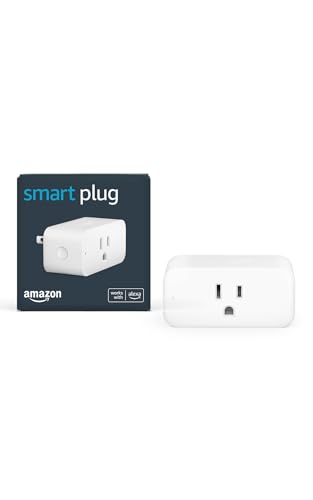
stands out for those deeply integrated into the Alexa ecosystem, offering seamless voice control for any device plugged into it. You’ll love the simple setup through the Alexa app—just plug it in, and you’re ready to go in minutes. It’s compatible with various devices like lamps and coffee makers, while its compact design keeps your second outlet free. With no hub required, you can easily manage routines for automation. Although it connects only to 2.4 GHz networks, its reliable performance and quick response times make it a solid choice for enhancing your smart home experience.
Best For: Those heavily invested in the Amazon ecosystem looking for seamless voice control and automation for their devices.
Pros:
- Excellent build quality and compact design.
- Easy integration with Alexa for voice control and automation.
- Reliable performance with quick response times.
Cons:
- Higher price compared to other smart plug brands.
- Potential to block adjacent outlets due to its design.
- Limited to 2.4 GHz networks, excluding 5GHz connectivity.
Factors to Consider When Choosing Smart Plugs for Charger Scheduling
When you’re picking a smart plug for charger scheduling, there are several key factors to keep in mind. You’ll want to take into account load capacity, compatibility with voice assistants, and the features offered for scheduling and automation. Additionally, think about app usability and the design to make certain it fits well in your space.
Load Capacity Considerations
Choosing the right smart plug for charger scheduling hinges considerably on load capacity. Most devices have a maximum continuous load rating between 10A and 15A, which determines the appliances you can control. While a 15A smart plug may handle high-draw devices for short bursts, it’s essential to keep continuous loads below the specified limit to prevent overheating. For example, a device running at 120V and drawing 10A consumes 1200 watts, so you need to match the plug’s capacity accordingly. Overloading can trigger safety features like circuit breakers or even cause electrical fires. Additionally, consider the average energy consumption of your devices; plugs with energy monitoring can help you track and optimize usage effectively.
Compatibility With Voice Assistants
Understanding load capacity is just one part of finding the right smart plug for charger scheduling. Compatibility with voice assistants like Amazon Alexa and Google Assistant is essential for enhancing convenience. With these smart plugs, you can control your devices using simple voice commands, making daily tasks easier. Many of these plugs don’t require additional hubs, allowing for quick setup—often just a few minutes. Voice-controlled options also let you automate charging schedules, turning devices on or off based on your routines. Plus, managing multiple plugs through voice commands is perfect for group control, especially during busy times like holidays. Choose smart plugs compatible with various voice assistants to create a flexible and cohesive smart home ecosystem tailored to your needs.
Scheduling and Automation Features
While selecting a smart plug for charger scheduling, it’s important to contemplate the scheduling and automation features that can enhance your daily routines. Look for smart plugs that allow you to set specific times for devices to turn on or off, helping you optimize energy usage and cut electricity costs. Automation capabilities can link multiple devices, letting you control them simultaneously for added convenience. Many smart plugs support app-based scheduling, enabling you to manage settings remotely, even when you’re away. Advanced options like sunrise/sunset adjustments can be especially useful for outdoor lighting. Plus, if you integrate with voice assistants, you can easily set schedules using voice commands, streamlining the entire process.
App Functionality and Usability
When selecting a smart plug for charger scheduling, app functionality and usability play a significant role in your overall experience. Look for apps that offer remote control capabilities, so you can manage your plugs from anywhere. Scheduling features are essential for automating on/off times, enhancing energy savings and convenience. A user-friendly interface with intuitive navigation makes setup and management easy, even if you’re not tech-savvy. Monitoring energy usage through the app can provide valuable insights into your charging habits and help you spot potential energy waste. Finally, compatibility with voice assistants lets you issue hands-free commands, adding another layer of convenience to your daily routine. Choosing the right app will elevate your smart plug experience.
Design and Outlet Space
Choosing the right smart plug design is essential for effective charger scheduling. You’ll want to take into account compactness to guarantee that your plug doesn’t block adjacent outlets, allowing you to use multiple devices simultaneously. Look for designs with widely spaced outlets, as they accommodate larger power adapters without interfering with neighboring sockets. A flat plug design can also be beneficial, especially for tight spaces or behind furniture. Evaluate the number of outlets available; options vary from single to multi-outlet configurations, giving you flexibility for various charging needs. Finally, take into account smart plugs with built-in USB ports. These can provide additional charging options without consuming your AC outlets, enhancing your organization and efficiency.